Code Downloader 2026 : liste vérifiée pour Fire TV Stick
Les codes Downloader que nous avons vérifiés nous-mêmes pour installer IBO Player Pro, TiviMate, OTT Navigator ou Kodi sur Fire TV Stick, et comment les utiliser.
Read guideWe use a few cookies
Necessary ones keep you signed in. Analytics and marketing are optional and off until you say otherwise. Cookie policy.
Nothing optional has been set yet. Choose what you are happy with — you can change it any time from the footer.
Strictly necessary
Sign-in, your basket, security and load balancing. The site cannot work without these, so there is nothing to turn off.
Analytics
Anonymous page and referrer counts on the public marketing pages, so we know which guides are worth writing. Never used inside your account or the admin panel.
Marketing
Measures whether an advert led to a subscription. Off unless you turn it on — nothing is set before you choose.
Full detail in our cookie policy.
Use CompassIPTV on a compatible Fire TV Stick with a supported IPTV player. Compare the player options, follow the Firestick setup steps and test the service with a free 24-hour trial before choosing a plan. Player availability and installation steps depend on your Fire TV model.
Check before installing
The model matters more than the name on the box. Amazon lists the Fire TV Stick 4K Select (2025), Fire TV Stick HD (2026) and Fire TV Stick 4K (3rd generation, 2026) as Vega OS devices. Earlier Fire OS models use a different app platform. Check Settings → My Fire TV → About before choosing a player or starting a trial: the software version says Fire OS or Vega OS.
Examples include the 2024 Fire TV Stick HD, 2023 Fire TV Stick 4K and 2023 Fire TV Stick 4K Max. Check your chosen player's listing for your exact device, then follow the relevant installation instructions.
The Fire TV Stick 4K Select (2025), Fire TV Stick HD (2026) and Fire TV Stick 4K (3rd generation, 2026) run Vega OS. An Android Fire OS APK is not automatically compatible. Check the Amazon Appstore's “Works With” information for the exact player and model.
Confirm that a suitable player is available on your device and that it accepts the login format supplied with your trial. Our support team can help identify your model and player options.
Ask support about your deviceSources: Amazon Fire TV device specifications and Amazon's device identification guide. See our Vega OS app guide for more detail.
CompassIPTV
CompassIPTV provides compatible login methods for supported Fire TV player apps, a programme guide where available and plans for UK households. Confirm your device and chosen app before subscribing.
Receive your access details quickly after subscribing. Install your preferred IPTV player on Firestick and enter your login — setup takes minutes, not hours.
CompassIPTV supports HD, Full HD and 4K streaming quality. Pair it with the Fire TV Stick 4K or 4K Max for the best picture on your television.
On compatible Fire OS devices, supported players may accept Xtream Codes or M3U login details. Check the player listing for your exact device, especially on Vega OS.
Browse 52,500+ live channels with a full electronic programme guide. See what is on now and next — just like a traditional TV guide on your Firestick.
Access 200,000+ movies and series on demand. Browse by genre, search by title and watch on your Firestick whenever you want — no schedule to follow.
Test the full service on your Firestick before paying. The trial includes live channels, EPG, movies and series — no payment details required and no automatic renewal.
Device Comparison
This comparison covers the named Fire OS models below. Newer Fire TV Stick HD (2026), 4K Select (2025) and Fire TV Stick 4K (3rd generation, 2026) use Vega OS; check their app support separately before choosing a player.
| Feature | Fire TV Stick HD (2024) | Fire TV Stick 4K (2023) | Fire TV Stick 4K Max (2023) Recommended | Fire TV Cube |
|---|---|---|---|---|
| Resolution | 1080p Full HD | 4K Ultra HD | 4K Ultra HD | 4K Ultra HD |
| HDR | HDR10, HLG | HDR10, HDR10+, HLG, Dolby Vision | HDR10, HDR10+, HLG, Dolby Vision | HDR10, HDR10+, HLG, Dolby Vision |
| Wi-Fi | Wi-Fi 5 | Wi-Fi 6 | Wi-Fi 6E | Wi-Fi 6E |
| Processor | Quad-core 1.7 GHz | Quad-core 1.7 GHz | Quad-core 2.0 GHz | Octa-core 2.0 GHz |
| RAM | 1 GB | 2 GB | 2 GB | 2 GB |
| Ethernet Port | Adapter sold separately | Adapter sold separately | Adapter sold separately | Built-in |
| IPTV Compatible | Yes | Yes | Yes | Yes |
| Best For | Budget 1080p IPTV | 4K IPTV viewing | Best all-round IPTV | Power users, smart home |
The Fire TV Stick 4K Max is the recommended Firestick for IPTV in the UK. Its combination of 4K resolution, Wi-Fi 6E and a faster processor makes it the best choice for a smooth, high-quality IPTV experience. The standard 4K model is a great alternative. The HD stick is suitable for 1080p viewing on a budget. The Fire TV Cube offers the most power and includes a built-in Ethernet port, but costs more than the stick models.
Player Apps
An IPTV player is the app that displays your subscription content on the Firestick. It is not the subscription itself — you need both the player and a CompassIPTV subscription. Here are the most popular IPTV player apps for Firestick.
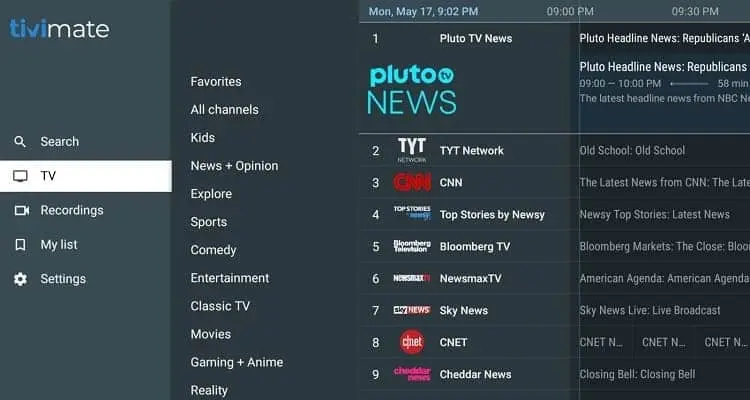
TiviMate is widely considered the best IPTV player for Firestick in the UK. Its interface is built for big screens and remote navigation, with a full electronic programme guide, channel groups, favourites and recording support. TiviMate supports both Xtream Codes and M3U playlist connections. If you want a television-like experience on your Firestick, TiviMate is the strongest choice.
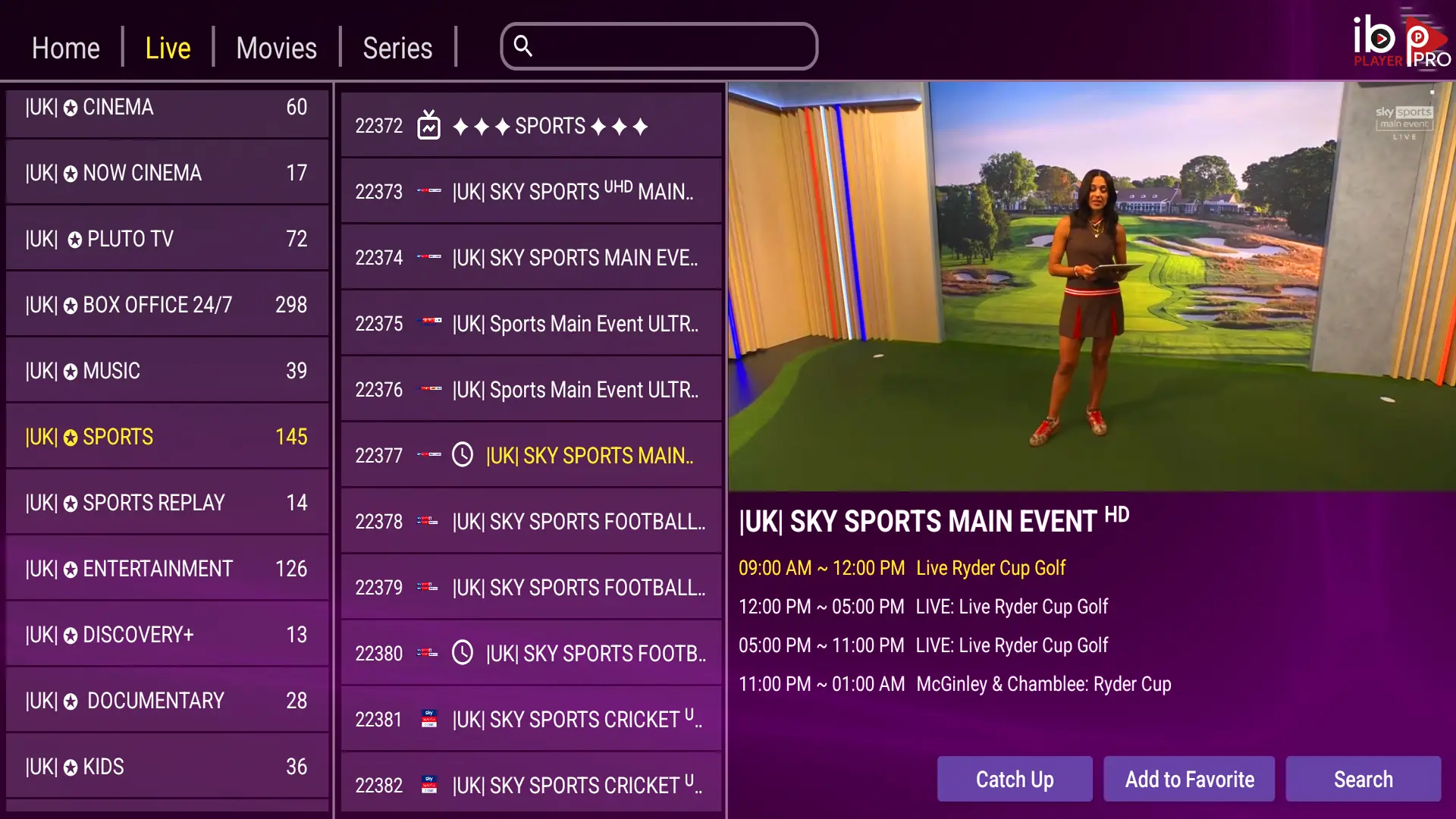
IPTV Smarters Pro is a popular IPTV player for Firestick with a straightforward interface. It organises content into Live TV, Movies and Series sections and supports both Xtream Codes and M3U playlist connections. IPTV Smarters Pro includes EPG data where available. Setup is simple — enter your IPTV login details and the app loads your channels automatically.
IBO Player offers a clean, playlist-based interface on Firestick. It uses a device-based activation system — you register your Firestick's MAC address with IBO Player and your IPTV provider loads the playlist onto the device. IBO Player is straightforward to navigate and works well for users who prefer a minimal layout without extensive settings.
Live Television
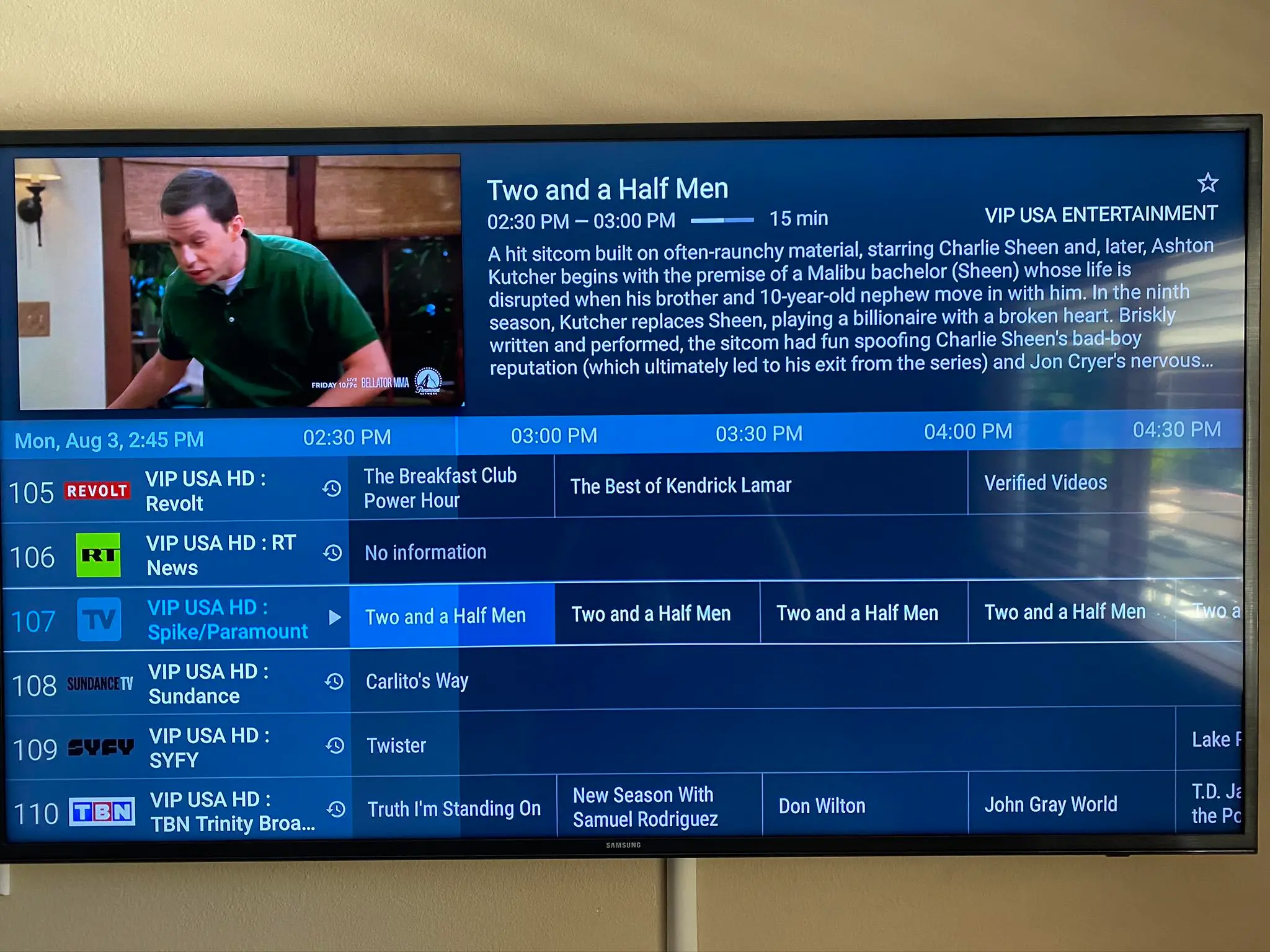
Browse 52,500+ live IPTV channels on your Firestick with a full electronic programme guide. The EPG shows what is on now and what is coming up next on each channel — just like the programme guide on Freeview or Sky. TiviMate and IPTV Smarters both display EPG data on Firestick when your IPTV subscription includes guide information.
Channels are organised into groups — UK, international, sports, entertainment, news, kids and more. Use the remote to browse categories or search for a specific channel by name. With CompassIPTV, your Firestick becomes a full IPTV receiver with live television and a programme guide.
TiviMate guide missing programme information? Follow our TiviMate EPG troubleshooting guide for Firestick to check the source, playlist mapping and app cache.
Sports Channels
Watch live sports on your Firestick with CompassIPTV. Sports IPTV channels cover football, cricket, rugby, tennis, boxing, UFC, motorsport and more. For the best live sports IPTV experience on Firestick, use the Fire TV Stick 4K or 4K Max with a stable broadband connection.
Many UK viewers search for football IPTV on Firestick and Premier League IPTV on Firestick to find live match coverage. Sports channel availability depends on your subscription and the channels included by the provider at the time of viewing.
CompassIPTV is not affiliated with any broadcaster, league or sports organisation. Channel availability varies and is subject to change.
On Demand
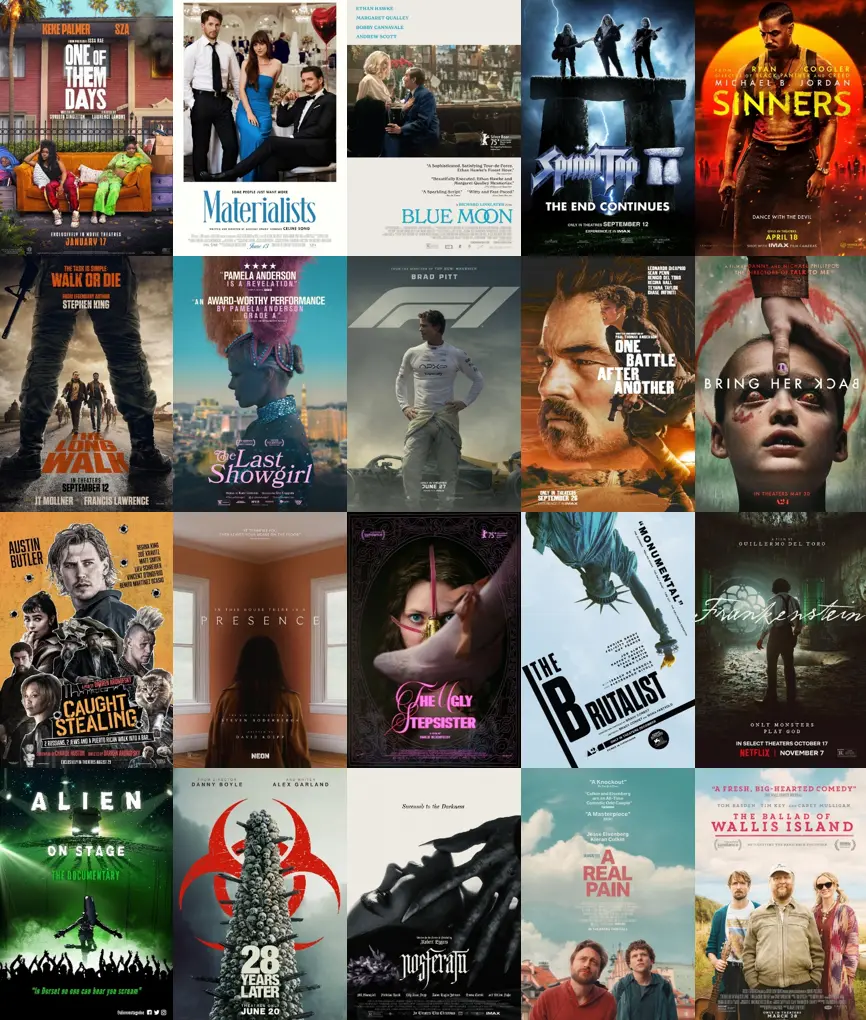
CompassIPTV includes 200,000+ movies and series available on demand. Browse by genre, search by title and watch on your Firestick whenever you want — no schedule to follow. New content is added regularly, covering a range of genres from action and drama to documentaries and kids' programming.
On-demand content is available through TiviMate, IPTV Smarters and IBO Player on Firestick. The movie and series library is separate from live channels — you can switch between live TV and on-demand content at any time without changing apps.
Try Before You Buy
Test the full CompassIPTV service on your Firestick before committing to a subscription. The free 24-hour IPTV trial gives you complete access.
Helpful guides
Fix common Fire TV playback, buffering, EPG and app problems with focused step-by-step guides.
Les codes Downloader que nous avons vérifiés nous-mêmes pour installer IBO Player Pro, TiviMate, OTT Navigator ou Kodi sur Fire TV Stick, et comment les utiliser.
Read guideWas „jailbreaken“ beim Fire TV Stick wirklich bedeutet, wie es in 4 Schritten klappt, welche Apps Sie installieren sollten und welche nicht.
Read guideSo installieren Sie IPTV Smarters Pro auf Fire TV Stick, Android TV, iPhone und Smart TV und melden sich mit Xtream Codes oder M3U-Link an.
Read guideInstall TiviMate 8K on Firestick with Downloader code 5811661, add your playlist with Xtream Codes, load the TV guide and fix common problems. Step by step.
Read guidePricing
Choose a subscription length and number of connections. Every plan includes full access to live channels, EPG, movies and series on your Firestick. Prices include all features — there are no hidden extras.
1 Month
£9.99
1 screen
Connections
Simultaneous streams
3 Months
£19.99
£6.66 a month · 1 screen
Connections
Simultaneous streams
6 Months
£36.99
£6.17 a month · 1 screen
Connections
Simultaneous streams
12 Months
Most Popular£49.99
£4.17 a month · most chosen
Connections
Simultaneous streams
24 Months
Best Value£89.99
£3.75 a month · 1 screen
Connections
Simultaneous streams
Getting Started
Setting up IPTV on your Firestick takes just a few steps. Here is the process from choosing a plan to watching your first channel.
Start with a free 24-hour trial to test the service, or go straight to a subscription plan if you already know what you need.
Make sure your Firestick is connected to your TV, powered on and connected to your home Wi-Fi network.
Check which player supports your exact Fire TV model. Install it from its official listing when available; use the setup guide for the correct login steps.
After subscribing, you will receive your access details. Enter the server URL, username and password (or M3U link) into your IPTV player.
The player loads your channel list and programme guide automatically. Browse channels, set favourites and start watching IPTV on your Firestick.
Troubleshooting
Most Firestick IPTV problems have straightforward solutions. Here are the issues customers ask about most and how to fix them.
Legal Information
IPTV is a technology for delivering television over the internet. It is not illegal by itself. Amazon Firestick is a legitimate consumer device sold worldwide, and IPTV player apps such as TiviMate, IPTV Smarters and IBO Player are legitimate software. The legality depends entirely on the content and the rights held by the IPTV provider.
The phrase "illegal IPTV Firestick" appears frequently in UK searches. What people usually mean is whether a specific IPTV service is licensed to distribute the channels and content it offers. Using a Firestick to access IPTV is not itself illegal — the device and the player apps are lawful products.
The question of "illegal IPTV UK" is about the provider, not the technology. In the UK, distributing copyrighted content without a licence is a criminal offence. Viewers who knowingly access unlicensed streams may also face legal risk. The safest approach is to use an IPTV provider that operates transparently and to avoid services that make unrealistic promises about content they cannot legally offer.
Searches for "pirate IPTV Firestick" often conflate the device with the service. A Firestick does not make a legal service illegal, and it does not make an illegal service legal. The responsibility lies with the provider to hold the appropriate content rights and with the viewer to choose a service they are authorised to use.
CompassIPTV encourages all customers to use the service responsibly and to understand the terms of service. If you have questions about what is included in your subscription, contact support for clarification.
Questions & Answers
Answers to the most common questions about IPTV on Firestick in the UK — covering compatibility, players, pricing, trials and more.
Have another question? Visit the complete FAQ or contact support.
Firestick Ready
Start with a free 24-hour trial to test CompassIPTV on your Firestick, or compare subscription plans when you are ready.
Choosing a Fire TV player? Compare player and device setup options.
Need a hand?